You can sell feet pics without putting your real name, face, or personal accounts on display. But “anonymous” doesn’t mean invisible: a legitimate marketplace or payment provider may privately verify your identity and age, even when buyers never see those details.
The bigger risk is usually a tiny clue you missed—a reused username, a tattoo at the edge of a photo, mail on a table, or location data hidden in the file. This guide gives you a repeatable process for separating your seller identity, checking every image, handling payments, and stopping scams before they get personal.
You’ll also learn how to create tasteful listings, set firm boundaries, and discourage reposting. Feetpik keeps sales inside a purpose-built platform, but always review its current verification, payout, fee, and privacy rules before posting.
Can You Really Sell Feet Pics Anonymously?
Yes, you can sell feet pics without showing buyers your legal name, face, home address, or personal social profiles. That’s the kind of anonymity most sellers actually need: customers see a seller alias and the content you choose to publish, not your offline identity.
But anonymous doesn’t mean untraceable to everyone. A legitimate marketplace or payment provider may need to confirm who you are, verify that you’re at least 18, and collect information required for payouts or tax reporting. Those details should remain confidential rather than appearing on your public profile.
Public anonymity vs. private verification
Think of your seller account as having two layers. The public layer includes your alias, profile, listings, and buyer conversations. The private layer contains information provided securely to the platform or its payment processor, such as your legal name, date of birth, ID, bank details, or taxpayer information.
Private verification isn’t automatically a privacy problem. In fact, age checks and verified payment systems are signs that a platform takes legal compliance seriously. The important questions are who receives your data, how it’s stored, why it’s required, and whether any of it will be visible to buyers. Read the current privacy policy and payout terms before submitting documents.
Here’s the thing: no “anonymous mode” can protect you if your own habits connect the dots. Reusing a familiar username, mentioning your workplace in chat, or uploading a photo with a recognizable detail can link a seller persona back to you. Anonymity comes from making the same careful choices every time you log in, post, or reply.
The practical steps in this guide cover that routine: separating your seller identity from personal accounts, checking images for revealing clues, choosing safer sales and payment tools, protecting published content, and setting firm communication boundaries. None guarantees perfect secrecy, but together they reduce avoidable exposure considerably.
The personal information buyers should never need
A buyer needs enough information to understand what you’re selling, what it costs, and when it will be delivered. They don’t need private details to “confirm you’re real.” Verification is the platform’s job, not theirs.
Don’t give buyers your:
- Legal name, birth date, or photo ID
- Home address, workplace, school, or usual locations
- Personal phone number or private email address
- Bank account, card, or taxpayer details
- Personal social media handles or names of relatives
- Passwords, login links, one-time codes, or security answers
Be cautious with seemingly harmless questions too. Your neighborhood, favorite local café, regular gym, or weekly schedule can narrow down who and where you are. Keep conversation focused on the listing and use the platform’s built-in communication and checkout process.
If someone insists that private information is required before they can pay, pause the sale. A genuine customer can complete an ordinary purchase without knowing your surname, address, or personal contact details.
Create a Separate Seller Identity Before You Post
Your seller identity should be a clean break from the name and personality you use elsewhere online. The goal isn’t to invent an elaborate backstory. It’s to create a simple, consistent persona that gives buyers nothing useful to search.
Choose an alias that is not linked to you
Pick an alias you’ve never used for Instagram, TikTok, gaming, forums, dating apps, or old email accounts. Before committing, search the name in quotation marks on Google and check major social platforms. If it leads to one of your personal profiles—or someone you know—choose another.
Avoid names containing your initials, birth year, hometown, pet’s name, or a nickname friends use. Something like JessieRose1998 may feel anonymous, but it gives away more than you think. A neutral two-word alias with unrelated numbers, if needed, is harder to connect.
Create a fresh profile image too. Don’t reuse a selfie, avatar, logo, or foot photo that has appeared on a personal account. Use an original, non-identifying image made specifically for your seller profile, such as a simple graphic or a newly shot close-up against a plain background.
Set up a dedicated email and secure login
Create a new email address used only for your seller account and related platform messages. Keep your legal name, personal nickname, workplace, and usual username out of the address. For example, match it loosely to your seller alias rather than using the same email format you use professionally.
Give every account a unique password. Reusing even one personal password creates unnecessary risk if another site suffers a breach. A password manager can generate and store a random password of 16 characters or more, so you don’t have to memorize it.
Turn on two-factor authentication as soon as the account is created. An authenticator app is generally safer than text messages because it isn’t tied to a publicly discoverable phone number and is less vulnerable to SIM-swapping. Save the recovery codes somewhere private, preferably in your password manager or an encrypted offline file.
Keep personal and seller accounts separated
Use a separate browser profile for seller activity. This keeps saved logins, autofill details, bookmarks, and account sessions from bleeding into your personal browsing. Label it clearly so you don’t accidentally comment, upload, or message from the wrong identity.
Your writing can identify you too. Don’t copy a personal bio, reuse a favorite quote, or repeat a distinctive phrase that appears across your public accounts. Skip specific details about your job, neighborhood, education, family, or daily schedule.
Keep the persona uncomplicated: alias, dedicated photo, brief seller-focused bio, and consistent boundaries. Honestly, the less fictional detail you create, the less you’ll have to remember—and the less there is for someone to connect back to you.
Remove the Clues That Can Reveal Your Identity
Most privacy leaks aren't dramatic. They're ordinary details: a name on an envelope, a familiar view through a window, or half a face reflected in a glossy cabinet. Someone who knows you may need only two or three clues to connect the account to your real identity.
Check the frame, background, and reflections
Before uploading, inspect the entire image at full size—not just the subject. Check mirrors, framed pictures, television screens, glass tables, taps, appliances, and shiny jewelry for reflections. A reflection can reveal your face, your phone, or another person standing nearby.
Then scan the background for mail, prescription labels, delivery boxes, ID cards, calendars, family photos, and paperwork. Zoom in. Modern phone cameras can capture a readable surname or company logo from farther away than you'd expect.
Pay close attention to windows. A street sign, neighboring building, recognizable skyline, or even a distinctive garden can narrow down your location. School hoodies, workplace badges, branded uniforms, certificates, and club merchandise can do the same.
Strip location and device metadata
Photos may contain EXIF metadata, including the date, time, phone model, editing software, and—if location tagging was enabled—GPS coordinates. A platform may remove some metadata during upload, but don't assume it will. Remove it yourself first.
Turn off camera location access in your phone's privacy settings. On an iPhone, check Settings > Privacy & Security > Location Services > Camera. On Android, the wording varies, but you'll usually find Camera permissions under Settings > Location or Permission Manager.
Before sharing an existing image, view its information panel and remove the location. For extra certainty, export a metadata-free copy with a reputable offline tool, then inspect that new file. Keep the original private rather than uploading it by mistake.
Avoid recognizable physical and household details
Tattoos are obvious identifiers, but don't overlook birthmarks, scars, distinctive nail art, anklets, toe rings, or jewelry you wear in personal photos. Even a custom bracelet or uncommon pedicure pattern can create a match between accounts.
Your home can be equally revealing. Distinctive wallpaper, handmade furniture, children's artwork, pet tags, unusual bedding, and a room previously shown on personal social media all create searchable connections. A plain-looking corner is safer than your most recognizable room.
Use this repeatable two-minute inspection before every upload:
- Zoom into all four corners and read any visible text.
- Inspect reflective surfaces for faces, phones, and room details.
- Check your body for recognizable tattoos, marks, and jewelry.
- Review the background for mail, school, work, family, and location clues.
- Confirm metadata is removed from the exact file being uploaded.
- Pause before posting: ask if someone you know could identify the person or place.
If anything gives you doubt, reshoot. Blurring can miss details, and aggressive cropping sometimes leaves reflections or text behind.
Choose a Platform With Safety Built Into the Sale
A marketplace should do more than give you somewhere to upload photos. It should create distance between you and the buyer, keep payment inside a documented system, and give you somewhere to turn when a transaction goes wrong. A friendly conversation in a social media inbox offers none of that structure.
Platform features worth checking
Before creating a listing, inspect the marketplace as if you were already dealing with a difficult buyer. Don’t rely on a polished homepage. Check the help center, seller terms, privacy policy, and account settings for practical protections:
- Seller verification: Does the platform confirm age and identity privately, without displaying legal details to buyers?
- Privacy controls: Can you choose what appears publicly and limit unwanted contact?
- Payment handling: Does the platform process or document purchases rather than leaving sellers to chase payment?
- Content rules: Are permitted and prohibited uploads, captions, and requests clearly defined?
- Safety tools: Can you block accounts, report messages, and submit evidence without contacting the buyer again?
- Dispute support: Is there a stated process for complaints, refunds, non-delivery claims, or account reviews?
Feetpik is a purpose-built option for buying and selling feet pictures, which makes it a more appropriate starting point than a general social network. Still, platforms change. Review Feetpik’s current verification requirements, privacy features, seller rules, and support process before you list anything.
Why off-platform deals create extra risk
Moving a sale into DMs, email, or a private messaging app removes the marketplace record that could support your side of a dispute. The buyer may also gain access to extra information, such as your personal payment name, phone number, profile history, or messaging status.
There’s another practical problem: support teams generally can’t investigate activity they can’t see. If the agreement, payment, and delivery happened elsewhere, screenshots may not receive the same protection as a transaction completed through the platform. Keep buyer communication and order details in the approved system whenever possible.
Read the payout, refund, and content policies
Fees matter, but the headline percentage isn’t the whole cost. Check listing or subscription charges, commission on each sale, payout processing fees, currency-conversion costs, minimum withdrawal amounts, and any waiting period. A $50 balance isn’t useful if the payout minimum is $100 or withdrawals take several weeks.
Read the refund and dispute language just as closely. Find out when earnings become available, what happens if a buyer challenges a purchase, which party covers refunds, and whether funds can be held during an investigation. Also confirm that the type of content you plan to sell is allowed; “feet pictures” doesn’t automatically mean every pose, caption, prop, or custom request meets platform rules.
Save a dated copy or screenshot of the policies you relied on. Terms can change, and having a record makes it easier to understand unexpected fees, payout delays, or moderation decisions later.
Take Tasteful Photos Without Exposing Personal Details
Build a private, low-cost photo setup
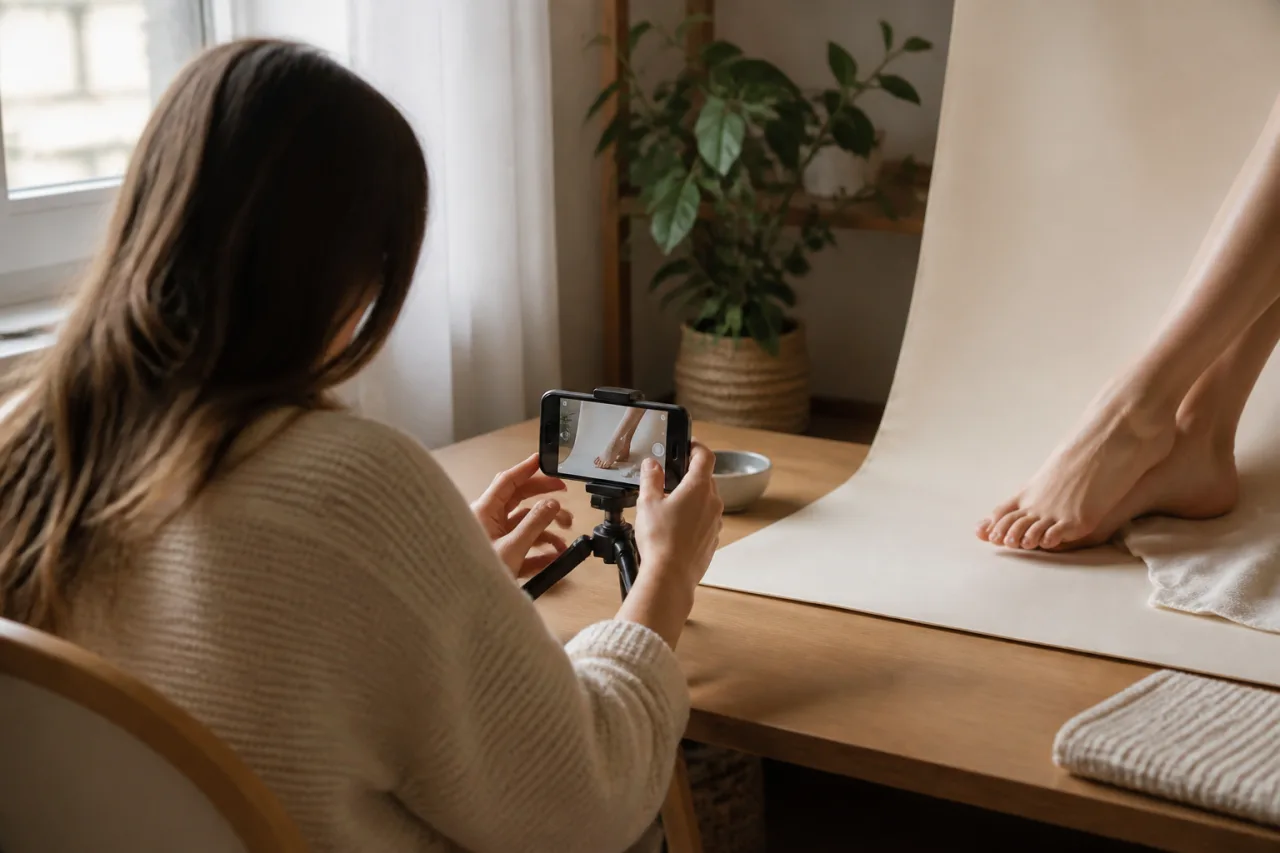
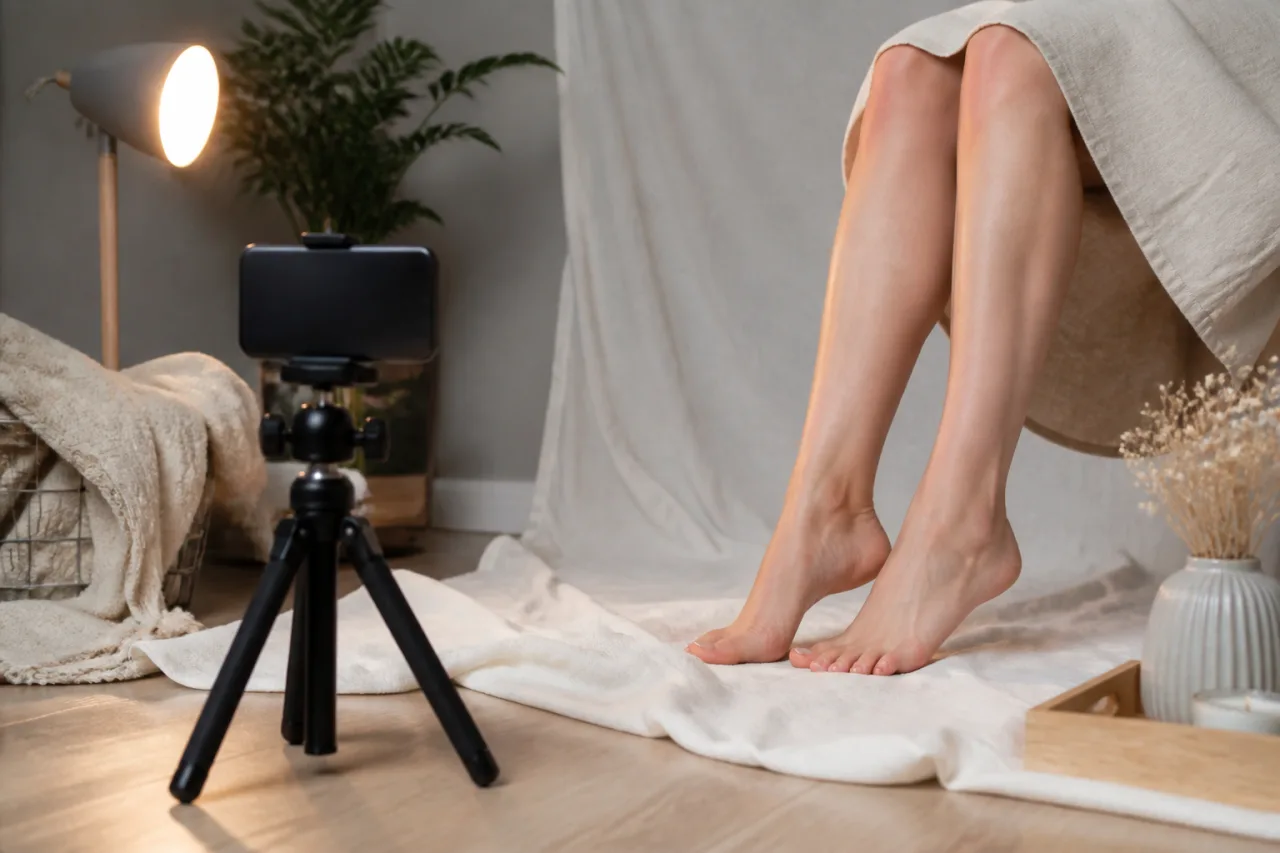
You don’t need a studio or an expensive camera. A recent phone, a plain sheet of poster board, and a basic phone tripod are enough. Small tabletop tripods often cost $15 to $25 and make it much easier to keep framing consistent without asking someone else to take the photos.
Set up beside a window with indirect daylight, not in a hard beam of sun. Bright direct light can exaggerate texture and create sharp shadows. If daylight is unreliable, point a small lamp at a white wall so the light bounces back softly; avoid mixing a yellow lamp with blue daylight.
Keep the background deliberately boring. A clean white sheet, neutral blanket, foam board, or plain rug works well, provided it has no distinctive pattern. Frame tightly enough that the viewer sees the subject and setup—not your furniture, wall art, doorway, or the wider room.
Do basic grooming before you start: wash and moisturize, clean beneath nails, smooth rough polish, and remove lint or stray hairs from the setup. Give moisturizer 10 minutes to absorb, or the skin may look overly shiny under a lamp. Keep the result natural rather than trying to hide every line or mark.
Plan a useful mix of angles and sets
Make a short shot list before touching the camera. A practical set might include a top-down view, both side profiles, soles, heels, toes, and one wider composition showing both feet. Buyers can then see what they’re getting without you taking dozens of nearly identical images.
Use the tripod’s timer—three or 10 seconds usually works—and check the first few shots for focus. Tap the screen where you want the camera to focus, then take five or six variations before changing position. Batch shooting three sets in one 30-minute session saves setup and grooming time.
Variation doesn’t require showing more of your home or body. Change the background color, nail polish, lighting direction, fabric texture, or simple non-identifying props. You can also crop at the ankle or lower calf and keep your face completely outside the frame. For consistency, mark the tripod and foot positions with small pieces of removable tape.
Preview every file as a stranger would
Editing should improve presentation, not create a product that doesn’t exist. Crop, straighten, correct exposure, and adjust white balance so skin and polish look accurate. Skip aggressive smoothing, reshaping, heavy filters, and saturation boosts that turn a muted red polish neon.
Finally, open each finished image full-screen and zoom into the corners. Look at reflections in glossy polish or props, accidental glimpses beyond the backdrop, clothing, and anything else that makes the frame feel personal. Then view the entire set as thumbnails: remove blurry duplicates, check that colors match, and confirm every photo looks intentional before uploading.
Protect Your Photos From Easy Theft and Reposting
No setting can make an image impossible to copy. Someone can still take a screenshot, crop a watermark, or photograph a screen. The realistic goal is to make casual theft less useful, limit how much is exposed, and keep enough evidence to act when reposting happens.
Use previews and watermarks strategically
Upload lower-resolution previews instead of the full-size files buyers receive. A preview around 1,200 pixels on the longest edge is usually clear enough to show lighting, pose, and quality without handing over the best version. Check the platform’s current image requirements before exporting.
Add a discreet watermark containing your seller alias or shop name. Place it over part of the image rather than neatly in a corner, where it can be cropped off in seconds. Keep it visible but not so large or opaque that buyers can’t judge the photo.
Don’t post every image from a set as a sample. If a bundle contains 12 photos, showing two or three carefully chosen previews gives buyers a useful look while keeping most of the paid content out of public view. You can also use a slightly different crop for previews instead of displaying the complete composition.
Keep proof that you created the images
Save the original, unedited files exactly as they came from your camera or phone. Keep your edited master files too, along with dated exports, project files, and any alternate shots from the same session. Those materials can help demonstrate that you created the image rather than copied it.
Store this evidence privately in at least two places, such as an encrypted drive and a password-protected cloud folder. Don’t publish originals merely to prove ownership; their higher resolution and embedded information should remain private.
It also helps to save screenshots of each listing after publication, including the URL, date, seller alias, and image preview. Keep relevant order or listing reference numbers with those records.
Know what to do if content is reposted
Run occasional reverse-image searches using tools such as Google Lens, Bing Visual Search, or TinEye. Checking once a month is reasonable for active listings, although these tools won’t find every private account, cropped copy, or paywalled post.
If you find a suspected infringement, document it before doing anything else:
- Capture full-page screenshots showing the image, account name, URL, and date.
- Save direct links to the post and profile.
- Record your original listing URL and publication date.
- Keep any messages or transaction details connected to the account.
Use the site’s copyright, intellectual-property, or abuse reporting form and follow its evidence requirements. If the repost appears on Feetpik, use the platform’s current reporting process and provide the relevant listing details.
Don’t confront the suspected poster personally or threaten them from your seller account. That can expose more information, provoke harassment, or cause evidence to disappear before the platform reviews it. Document first, report through official channels, and block the account when appropriate.
Set Prices, Boundaries, and Payment Rules Up Front
Price standard sets and custom requests
Make each listing specific enough that a buyer knows exactly what arrives. For example: “Five edited JPEG images, one outfit, plain background, delivered through the platform within three business days.” State whether the buyer can choose colors, poses, or themes rather than leaving “custom” open-ended.
A simple starting menu might be $5 to $10 for one image, $20 to $35 for a five-image set, and $40 or more for a custom bundle. These aren’t fixed industry rates. Adjust them for your time, editing, props, and demand, then check what you’ll actually keep after platform fees.
Also review the platform’s payout minimum and schedule. A $20 balance isn’t much use if payouts start at $50, and a seven-day processing period should be built into your cash-flow expectations.
Write boundaries buyers can understand
Put usage limits and content boundaries in the listing, not halfway through a private conversation. Say that purchases are for the buyer’s personal use only and may not be reposted, resold, used for advertising, or uploaded to another site. Ownership and licensing rules can vary, so follow the platform’s current terms.
Be equally direct about what you won’t create. A clear line such as “No face, identifying details, outdoor locations, live calls, or requests outside the listed categories” prevents negotiation later. Include your turnaround time, revision limit, and what counts as a revision; changing one approved color is different from reshooting an entire set.
Confirm payment before delivering content
Only deliver through the platform after the order shows as paid in your account. A screenshot, pending notification, or buyer message saying “payment sent” isn’t confirmation. Don’t provide unwatermarked previews or complete custom work as proof that you’re genuine.
Refuse gift cards, checks, overpayments, and pressure to accept cryptocurrency. The same goes for anyone who sends “too much” and asks you to return the difference. That original payment may later disappear, leaving you responsible for the money you sent back.
Read the current refund and dispute rules before selling. Digital purchases may have limited refund options, but chargebacks can still happen. Keep the order description, buyer messages, payment confirmation, delivery timestamp, and exact files sent so you have evidence if a transaction is disputed.
Keep basic income and expense records
Track every sale in a spreadsheet with the date, order number, gross price, platform fee, refund, and net payout. Record legitimate business costs too, such as props, lighting, editing software, and seller fees, and save the receipts in a dedicated folder.
Platform income may be taxable even if selling is only a side gig. Tax rules, reporting thresholds, and allowable deductions depend on where you live, so don’t assume a payment form is the only trigger. Set aside part of each payout—many sellers start with 20% to 30%—until a local tax professional confirms what applies.
Spot Scams, Manipulation, and Unsafe Buyer Requests
Common scam messages and what they mean
Scammers often push to move the chat to Telegram, WhatsApp, or another app within the first few messages. The excuse may be “easier payment” or “better privacy,” but the real goal is usually to get outside the platform’s moderation, records, and reporting tools.
- “Send a verification photo holding your ID.” A buyer doesn’t need your legal name, address, face, or identity document. Platform verification should happen through the platform, not through a stranger.
- “I paid—here’s the screenshot.” Screenshots, emails, and pending-payment pages can be faked. Trust only the confirmed status shown inside your seller account.
- “I’ll pay you $800 for a small set.” An unusually large offer is often bait for an advance fee, an overpayment refund, or free content.
- “Send me the six-digit code you just received.” That’s an account takeover attempt. Login, password-reset, and two-factor authentication codes are never for buyers.
- “Refund me through another payment app.” The original platform transaction may later be reversed, leaving you out the separate refund too.
Look at the pattern, not just one awkward message. Urgency, confusing instructions, extravagant promises, and claims that “every other seller does it” are meant to stop you from thinking clearly.
Requests that should end the conversation
End the chat when someone asks for identifying verification, account codes, passwords, financial login details, or contact with your personal accounts. Do the same if they send unknown links or files and insist you open them to “claim” money.
Pressure also counts. A buyer who keeps bargaining after you’ve said no, demands extra images beyond the listing, or tries to push a custom request past your stated limits isn’t misunderstanding you. They’re testing whether persistence will override your boundaries.
Keep your response short:
- Off-platform chat: “I keep all messages and sales on Feetpik.”
- Identity request: “I don’t provide personal verification photos or documents.”
- Fake payment claim: “I’ll deliver only after payment shows as confirmed on the platform.”
- Boundary pressure: “That request is outside my limits. I won’t reconsider it.”
- Outside refund: “Any refund must go through the platform’s official process.”
Don’t write a five-paragraph defense. A firm boundary isn’t the start of a negotiation.
How to decline, document, block, and report
First, take screenshots showing the buyer’s username, full message, date, and transaction details. Don’t crop away context. Save any payment notice, suspicious link, or demand, but don’t click links or download attachments to gather more evidence.
Then send one refusal if it feels safe, stop replying, and use the platform’s block and report tools. Report immediately for identity-document requests, code theft, impersonation, threats, blackmail, repeated harassment, or suspected payment fraud. Include a factual description such as: “Buyer requested my login code twice after I declined.”
If you already shared a code or clicked a login link, change your password from the official site, sign out other sessions, check payout details, and contact platform support promptly. Don’t let embarrassment delay you; speed matters more than explaining how it happened.
Common Privacy Mistakes New Sellers Make
Most privacy leaks aren’t caused by sophisticated hackers. They happen because a seller taps the wrong setting, trusts a buyer too quickly, or lets a personal habit slip into a business account. These mistakes are preventable.
Connecting Your Seller Profile to Your Real Social Circle
Mistake: Reusing a personal username, even one from an old gaming account or forgotten forum. A buyer can search it and sometimes find years of posts, photos, or location clues. Safer replacement: Create a new alias with no connection to any name you’ve used before, then search it yourself before committing.
Mistake: Allowing Instagram, TikTok, Telegram, or another app to sync your contacts. This can cause your seller profile to appear under “People You May Know.” Safer replacement: Deny contact access, turn off account-discovery settings, and don’t attach your personal phone number unless the platform privately requires it.
Mistake: Following friends, local businesses, your workplace, or your favorite neighborhood café from the seller account. Those connections create a surprisingly accurate identity map. Safer replacement: Keep follows strictly related to selling, photography, or neutral interests.
Sharing More Than You Intended
Mistake: Uploading from a cloud album that anyone with the link can browse. One shared Google Photos or iCloud link may expose unrelated images, names, dates, and faces. Safer replacement: Upload individual downloaded files, test shared links in a private browser, and disable public album access afterward.
Mistake: Letting identifying details creep into photos or videos. A prescription bottle, parcel label, reflection, voice in the background, or view from a window may be enough. Safer replacement: Review every frame at full size, with the sound on, before posting.
Mistake: Oversharing during friendly chats. Your exact age, job, city, daily schedule, pets, and upcoming trip can be combined to identify you. Safer replacement: Keep conversation centered on the order. Use broad answers such as “I’m in the UK” rather than naming a town.
Letting a Buyer Control the Transaction
Mistake: Opening an unknown “payment,” “verification,” or image-hosting link. It may capture login details or reveal technical information. Safer replacement: Check payments inside the platform by opening it directly. Don’t sign in through buyer-supplied links.
Mistake: Accepting payment off-platform because the buyer promises a larger tip. You lose marketplace records and dispute protections while potentially exposing your legal name through the payment app. Safer replacement: Keep payment and delivery on Feetpik or your chosen marketplace.
Mistake: Relaxing a boundary for a high-paying buyer. A $300 offer doesn’t make a face reveal, private call, personal meetup, or secret request safer. Safer replacement: Apply the same rules to every buyer. If money is being used to wear down your “no,” stop replying, save the messages, and report the account.
Your Anonymous Selling Checklist and Next Steps
Before you go live, run through this checklist slowly. Five careful minutes now can prevent a much bigger privacy problem later.
Before creating your seller profile
- Confirm you’re legally allowed to sell. You must meet Feetpik’s current minimum-age requirement and any age-of-majority rules where you live. Don’t use someone else’s identity or documents.
- Check local laws and tax obligations. Rules for online income, digital content, and recordkeeping vary by location. If you’re unsure, ask a qualified local adviser rather than relying on comments or forum posts.
- Separate the identity completely. Use a seller-only alias, email address, profile image, and login credentials. Check that contact syncing is off and that none of these details match your personal accounts.
- Secure the account. Create a long, unique password and turn on two-factor authentication. Save backup codes somewhere private, not in the same email inbox.
- Learn the safety controls. Find Feetpik’s block, report, dispute, and support tools before you need them. Review the current content rules, fees, payout conditions, and privacy settings too.
Before publishing each listing
- Inspect every file. Remove location and device metadata, then zoom into the image. Check reflections, windows, mail, labels, tattoos, jewelry, and anything tied to your home, school, or workplace.
- Review the background. A plain sheet or poster board is safer than a recognizable bedroom or balcony. Remember that glossy furniture and screens can reflect more than you noticed while shooting.
- Protect the preview. Upload a suitably sized sample with a discreet watermark. Keep the clean, full-resolution original offline for delivery and ownership records.
- Read the listing as a buyer would. State the number of files, image quality, price, delivery timeframe, permitted use, and any firm limits. Don’t leave custom requests or refunds open to interpretation.
Before delivering any paid content
- Verify payment inside Feetpik. A screenshot, email receipt, or buyer message isn’t confirmation. Deliver only when the platform shows that the required payment step is complete.
- Check the final files again. Make sure you’re sending the promised content—not an unedited original containing metadata or a revealing background.
- Keep basic records. Save the listing details, agreed terms, transaction reference, delivered filenames, and relevant messages. Organized records help with taxes, disputes, chargebacks, and infringement reports.
- Use reporting tools when needed. Save evidence, block the account, and report threats, harassment, suspicious links, payment tricks, or attempts to push past your boundaries.
Start with one small, carefully reviewed listing on Feetpik rather than uploading an entire library. See how your workflow holds up, fix any weak spots, and only then add more. Most importantly, keep following the same privacy checks even when a buyer seems friendly, pays promptly, or has purchased before. Trust doesn’t remove risk; a consistent process reduces it.